
Master Visual Storytelling
From raw photos to cinematic cuts. Learn the ultimate combination of graphic design, photo manipulation, and professional video editing.
Enroll Now
Pro Photo Retouching
Transform ordinary shots into masterpieces. Master Photoshop, Lightroom, and illustrator to create stunning graphics and manipulate imagery.
Explore Photo Tools
Dynamic Motion Graphics
Bring your visuals to life. Learn After Effects and DaVinci Resolve to create stunning motion graphics, VFX, and cinematic video edits.
Explore Video ToolsPhoto Editing & Design
Adobe Photoshop
The ultimate imaging app. Learn layers, masking, background removal, and advanced photo manipulation.
CorelDRAW
Fast-track graphic design. Perfect for creating quick thumbnails, posters, and social media branding.
Adobe Lightroom
Professional photo grading. Master exposure control, batch processing, and custom preset creation.
Adobe Illustrator
Create stunning vector graphics, logos, typography, and scalable assets for video integration.
Video Editing & Motion
OpenShot
OpenShot is a free, open-source, and user-friendly video editor available for Windows, Mac, Linux, and ChromeOS. Designed for beginners to intermediate users.
Kdenlive
Kdenlive is a free, open-source, and powerful non-linear video editing application based on the MLT Framework, designed primarily for Linux but also available on Windows and macOS.
DaVinci Resolve
DaVinci Resolve is a powerful, industry-standard software for video editing, color correction, visual effects (VFX), and audio post-production.
Premiere Pro
The industry standard. Learn dynamic timeline management, multi-cam editing, and audio syncing.
Final Cut Pro
The king of Mac optimization. Lightning-fast rendering and the revolutionary magnetic timeline.
Part I: Graphics & Retouching
- Understanding resolution, color spaces (RGB vs CMYK), and file formats.
- Mastering the interface, layer panels, blending modes, and smart objects.
- Advanced selections: Pen tool mastery, quick masks, and complex hair cutouts.
- Non-destructive workflows: Adjustment layers, clipping masks, and object removal.
- High-end skin retouching using the Frequency Separation technique.
- Mastering global and local contrast with advanced Dodging and Burning.
- Lightroom Classic: Catalog management, RAW processing, and batch editing.
- Creating signature color grades and custom presets for consistent aesthetics.
- Transitioning to Illustrator: Vector vs. Raster, artboards, and workspaces.
- Using the Shape Builder tool, Pathfinder, and creating custom icons.
- Typography mastery: Font pairing, visual hierarchy, and text manipulation.
- Logo design fundamentals and tracing hand-drawn sketches into vectors.
- Designing high-conversion YouTube thumbnails that maximize Click-Through Rate (CTR).
- Creating seamless Instagram carousels, social media ads, and digital posters.
- Preparing and exporting transparent assets (PNG/SVG) for video overlays.
- Building a cohesive brand kit and standardizing client design assets.
Part II: Cinematic Video & VFX
- Project organization, ingest settings, and creating proxy files for smooth 4K editing.
- Mastering the timeline: Ripple edits, roll edits, slip, slide, and track targeting.
- Narrative pacing: Using J-cuts and L-cuts to create seamless dialogue transitions.
- Multi-cam editing workflows for podcasts, interviews, and live events.
- Essential Sound panel: Syncing dual-system audio and dialogue enhancement.
- Noise reduction, EQ, compression, and removing plosives/reverb.
- Cinematic sound design: Layering SFX, Foley, and auto-ducking music.
- Keyframing basics, speed ramping (time remapping), and smooth transitions.
- Understanding the After Effects UI, compositions, and Adobe Dynamic Link.
- Advanced keyframing: Graph editor, easing, and kinetic typography.
- Motion tracking, planar tracking (Mocha), and stabilizing shaky footage.
- Green screen mastery: Keylight, rotoscoping, and compositing virtual backgrounds.
- Introduction to node-based grading and understanding the color page layout.
- Reading scopes with precision: Waveform, Vectorscope, and RGB Parade.
- Primary correction: White balance, exposure, and color matching multiple cameras.
- Secondary grading: Using Power Windows, qualifiers, tracking masks, and cinematic LUTs.
About the Mentor
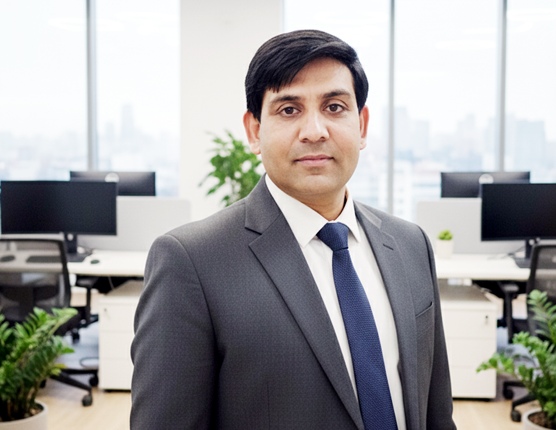
Lead Creative Director
Senior Editor & Designer
With years of experience handling full-stack media production—from raw photo shoots to final video renders—our mentor bridges the gap between static design and motion. You won't just learn what the buttons do; you will learn composition, color theory, pacing, and how to hold an audience's attention across multiple platforms. Get insider tips on keyboard shortcuts that will quadruple your workflow speed.
Enrollment Options
Photo Editing
Perfect for Social Media & YouTube.
- Adobe Photoshop
- CorelDRAW
- Adobe Lightroom
- Adobe Illustrator
- Certificate of Completion
Video Editing
Master the complete creative suite.
- Everything in Photo Editing
- Premiere + DaVinci + After Effects
- Commercial Color Grading & VFX
- Showreel & Portfolio Guide
- Freelance Client Acquisition Tips
Frequently Asked Questions
Ready to tell your story?
Build your visual portfolio and start your career in the creative media industry today.
Start Creating Today